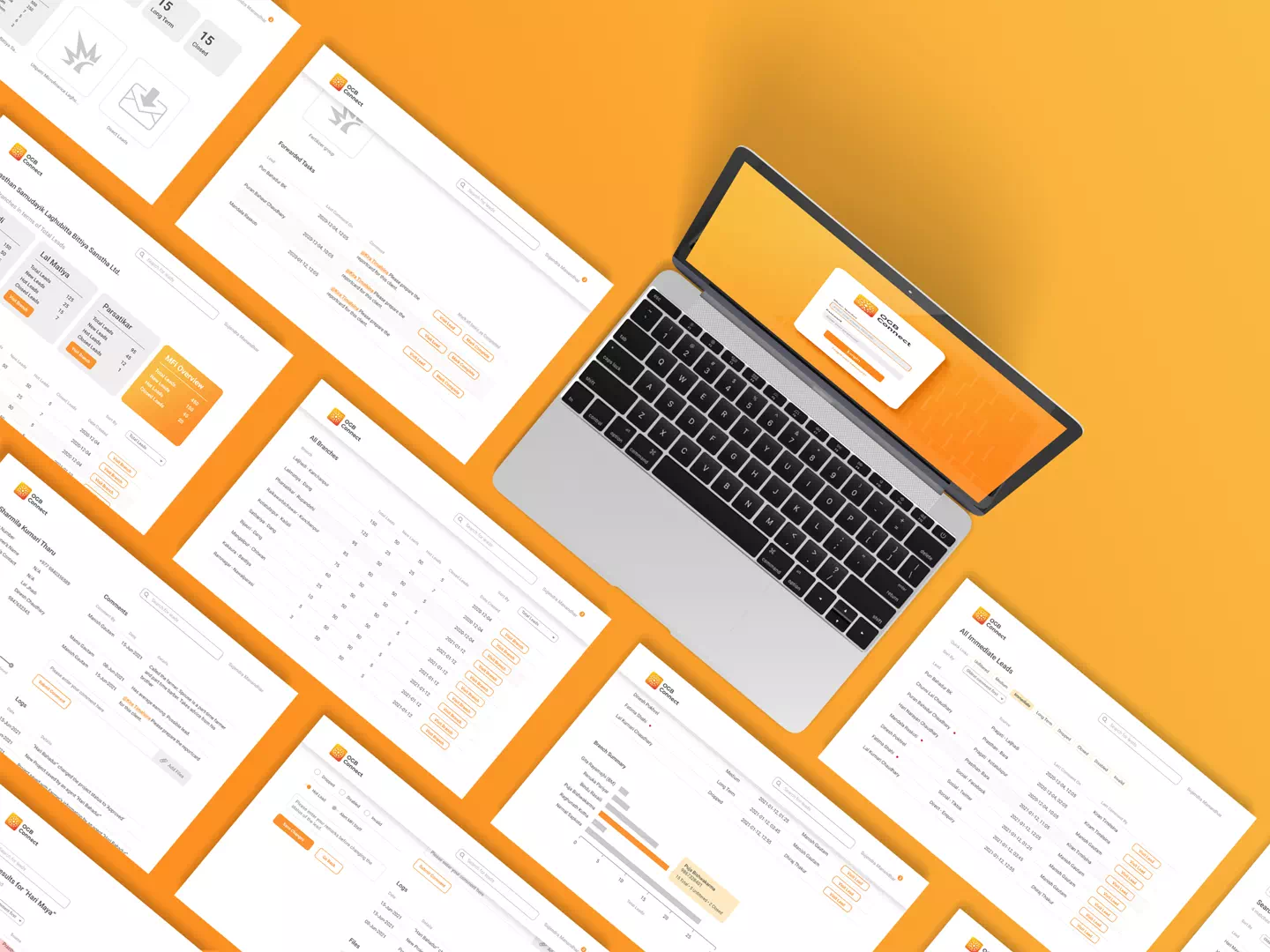
OGB Connect

Turning a sales problem into a simpler lead-generation workflow

My Role
UX Designer, sole designer
Duration
Several months, from initial research to MVP and field rollout
Focus
Field Research · Problem Definition · UX/UI · Prototyping and Testing · Dev Coordination · QA and Outcome Measurement
  • 27+ → 4 fields

    to create a lead

  • 6+ mins → ~20 sec

    to enter a lead

  • 285% ↑ reported leads

    13→50 leads per branch within 3 months

The brief was to grow sales. The assumption was that the app needed a redesign

OGB worked with microfinance organizations to help rural farmers get solar-powered water pumps through non-collateral loans. Microfinance staff already knew their communities and visited farmers regularly, but they were also expected to explain and sell an unfamiliar technology. The existing system required extensive farmer information before a lead could move forward, which the internal team needed in order to qualify it. I joined as the sole UX designer to find out why sales weren’t happening.
Into the field

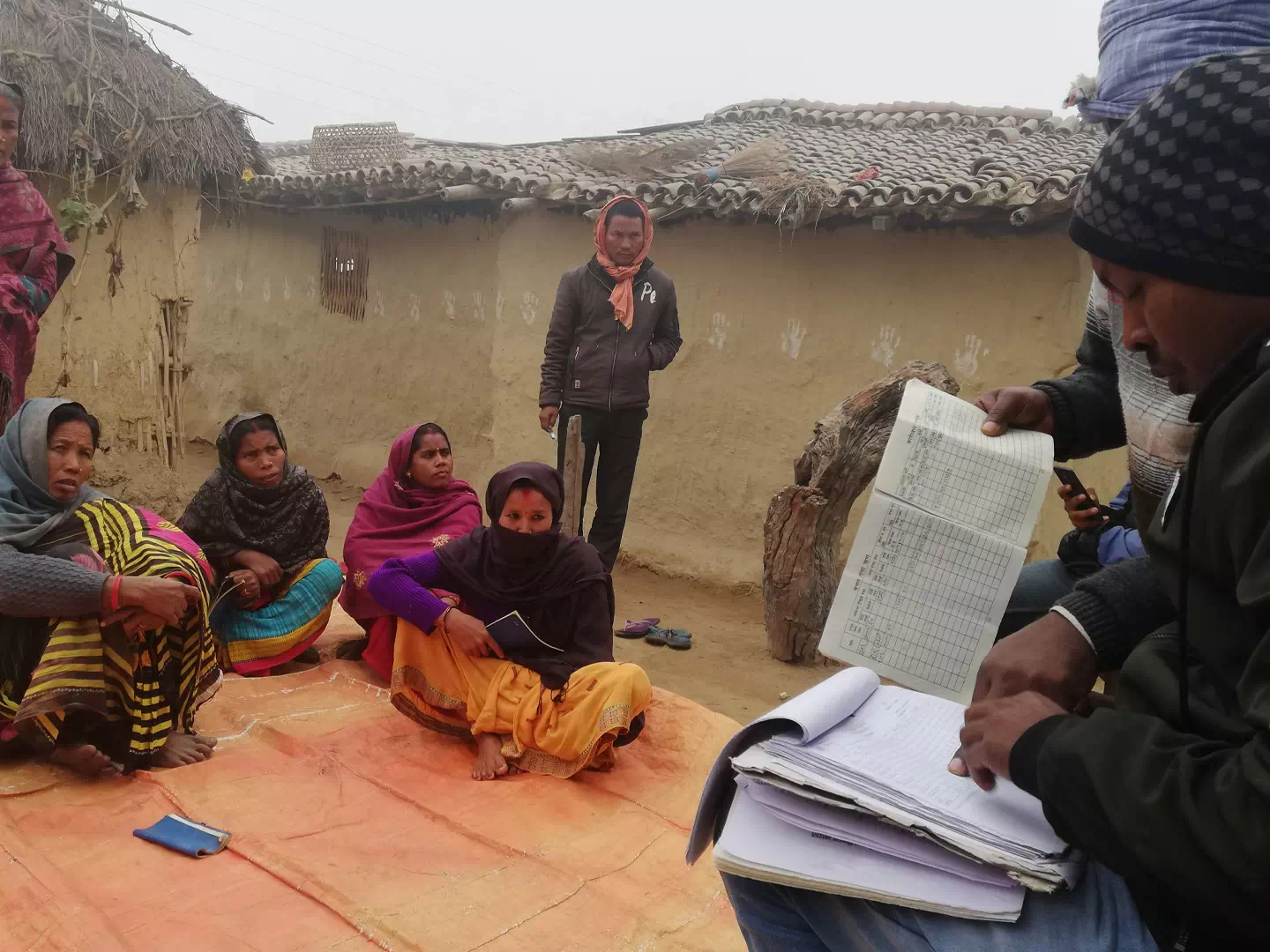
Microfinance staff talking with farmers during field research

Before touching a pixel, I went to see the work.

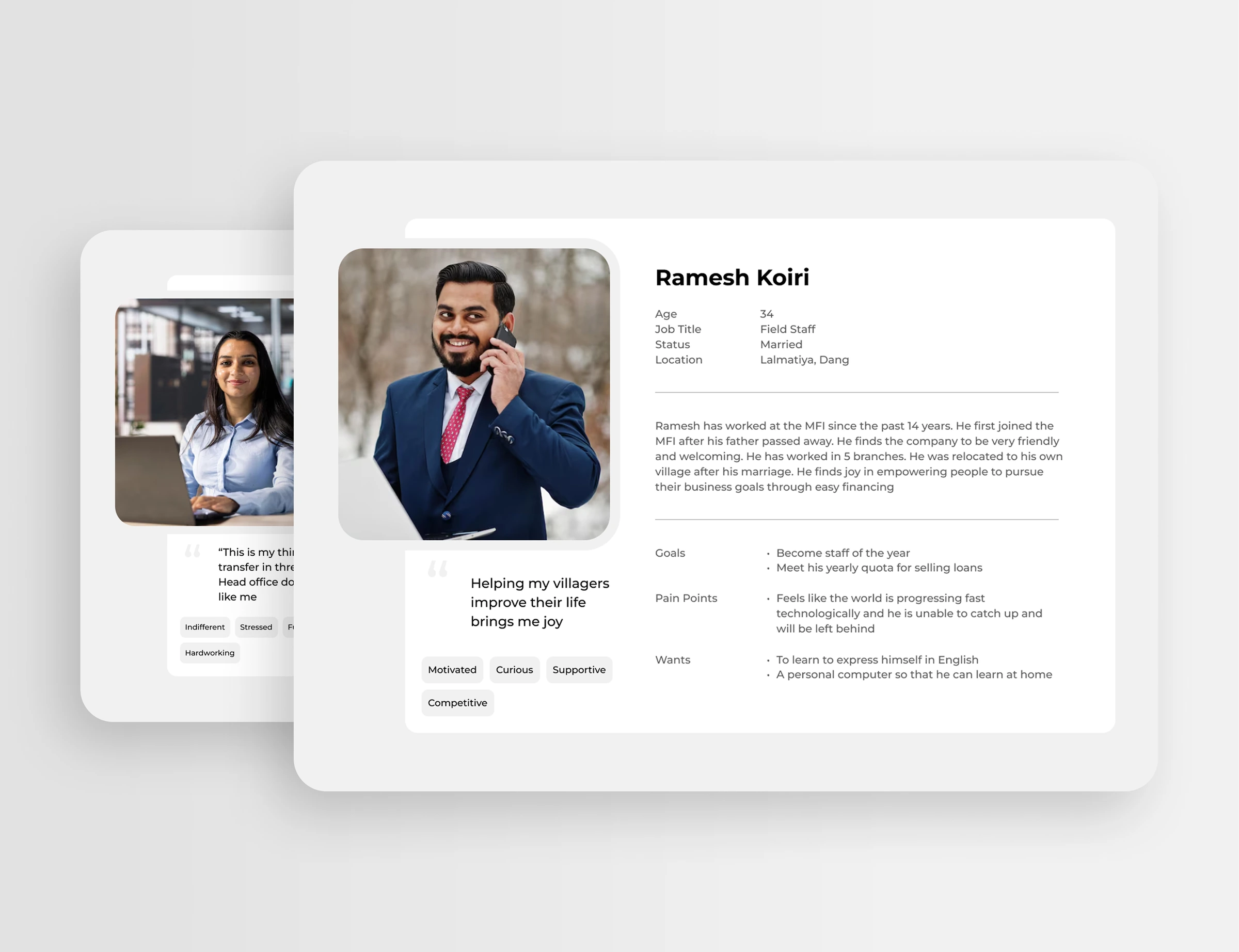
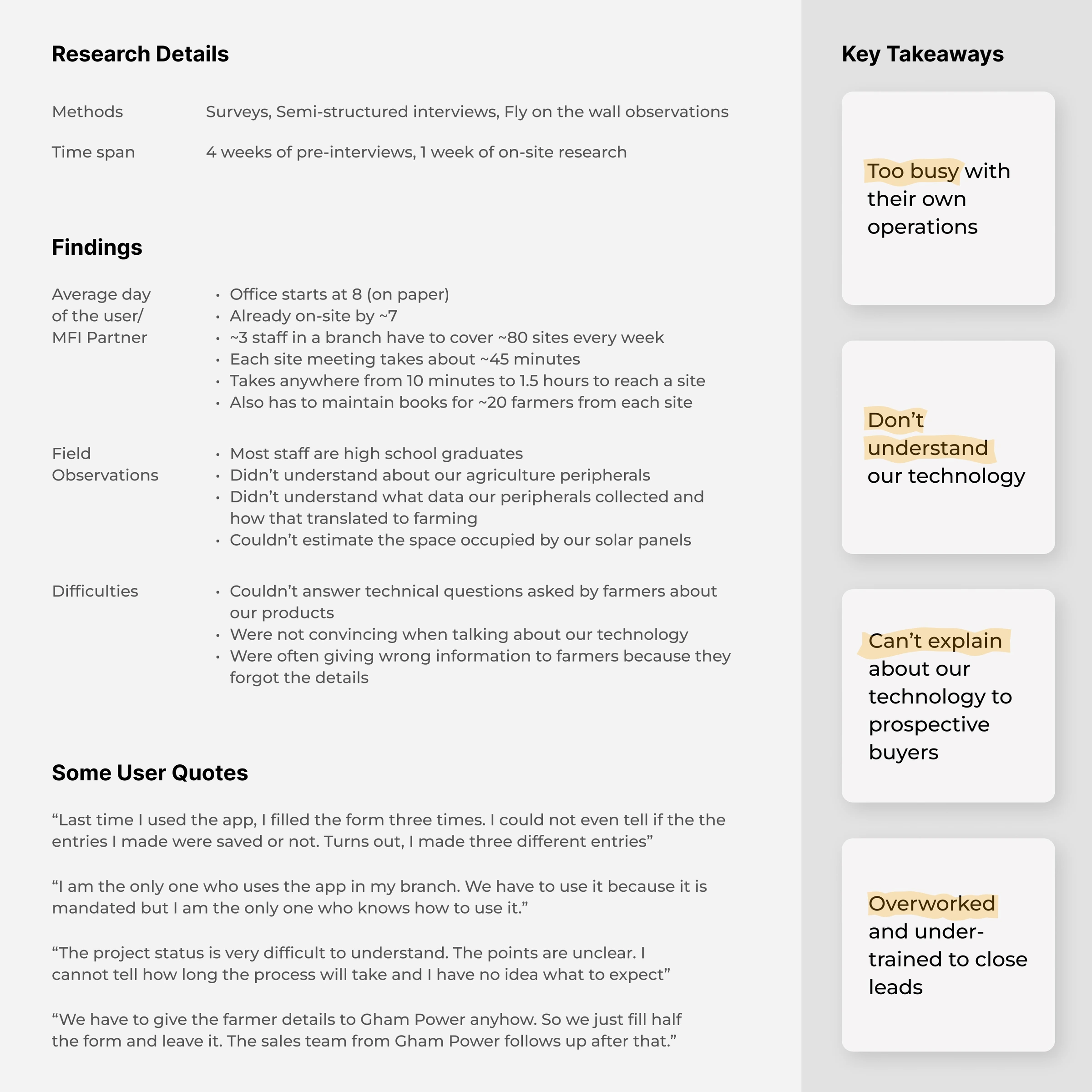
I spent a month learning the users and the business, then ran field research across 5 branches in 3 districts of Nepal. I followed one staff member from each branch through half a working day, interviewed three staff members per branch, and combined that with surveys, community meetings and conversations with the sales team. The branches were chosen partly for logistics and partly because they had already shown some success.

They wanted to sell. They couldn’t

Staff weren’t reluctant. They were doing two jobs, without the time or knowledge for the second.

Internally, the implicit assumption was that staff lacked interest. In the field I saw the opposite. They were explaining the technology with confidence, and sometimes getting it wrong. Finding the lead was one job. Priming it for a sale was another, and it needed product knowledge they didn’t always have.

The question changed from “How do we get more leads?” to “How do we make a viable lead easy to capture, while giving the internal team enough to take it forward?”

Capture isn’t qualification

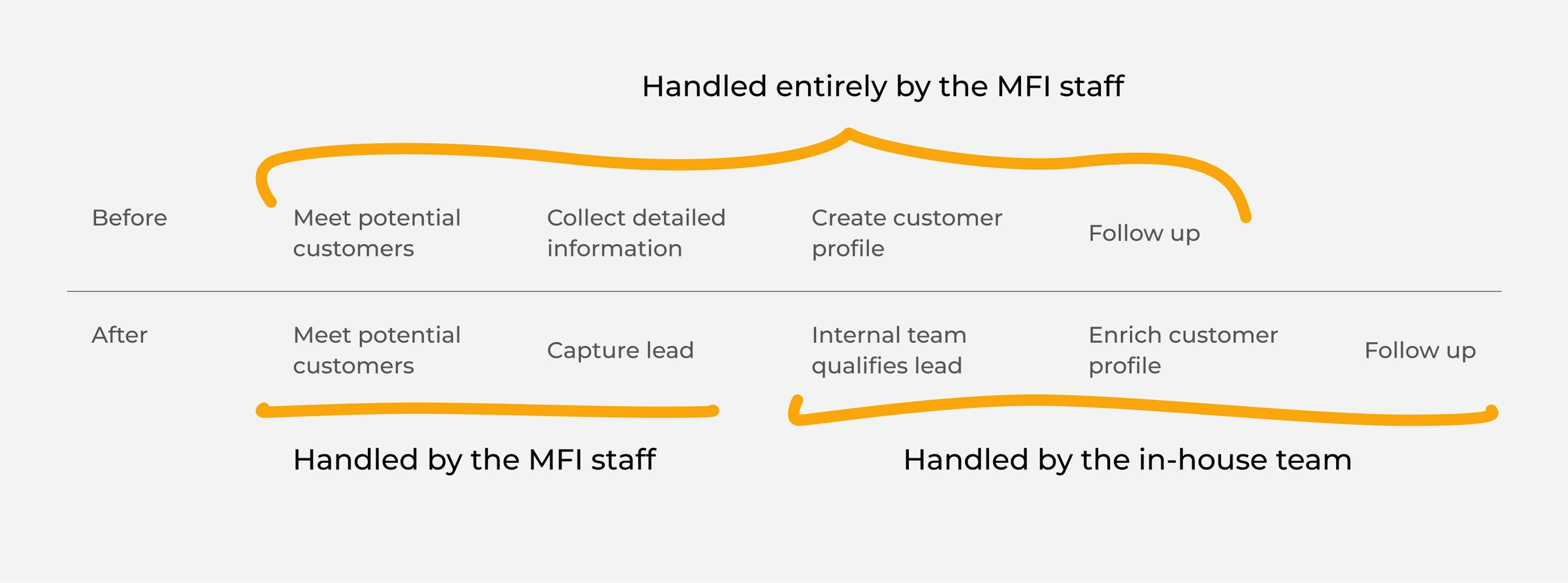
Diagram: before, field staff did everything; after, they capture the lead and the in-house team qualifies it

Capturing a lead and profiling a farmer happen at different moments, for different people.

The old flow had the field staff build a full farmer profile at first contact. Splitting it gave them a lighter first step and moved the burden of qualification and information gathering to the team that needed the detail.

4 fields, not 27

The first conversation only needs to answer: who, and how do we reach them?

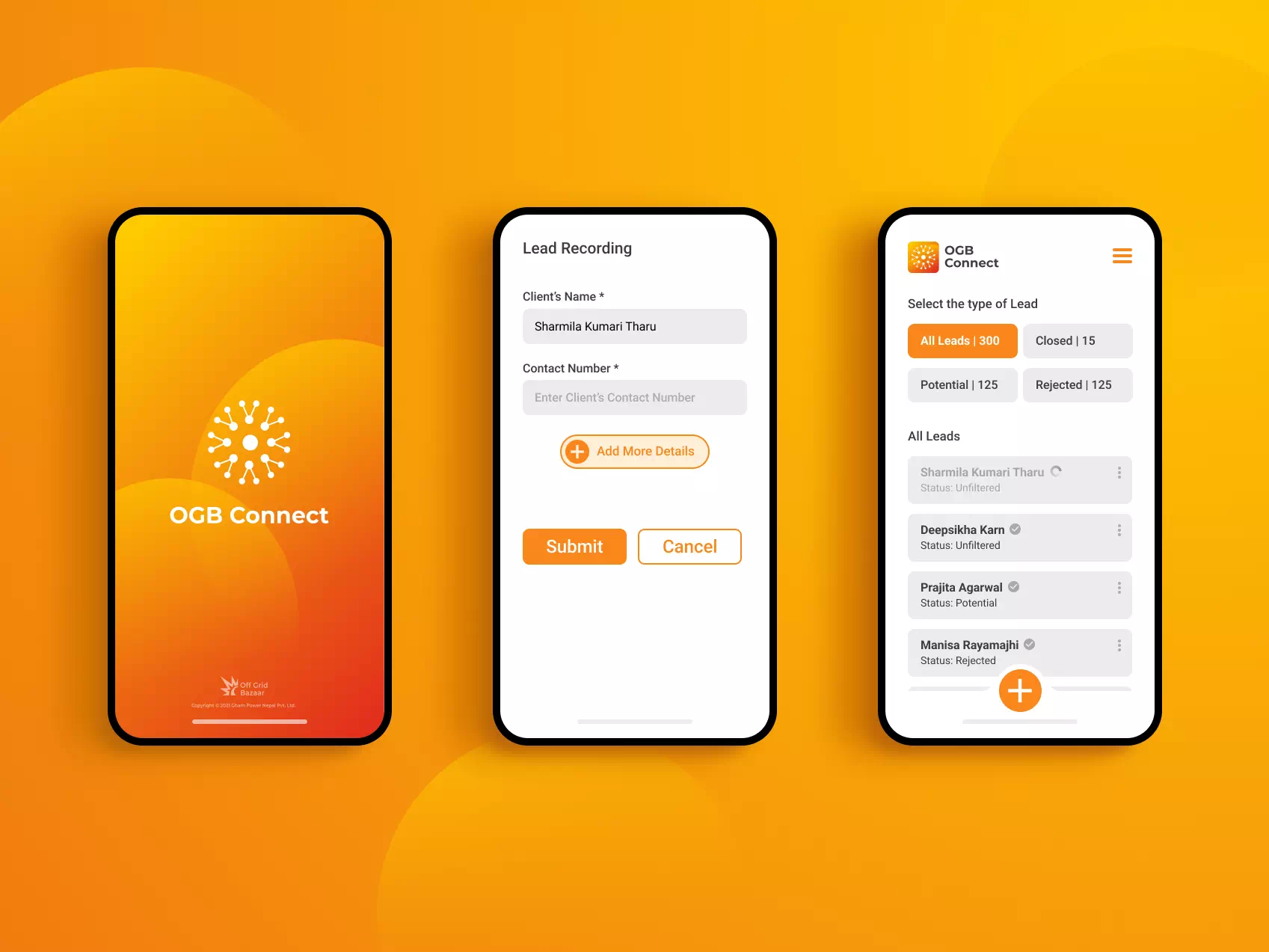
Successful sales showed a pattern. The person approached first was often a woman, but the decision-maker was frequently her husband or father-in-law. So the contact details of the right people mattered more than a farmer profile. A lead now needs the microfinance member, their phone number, the decision-maker and their phone number. Everything else was deliberately deferred, not dismissed.

The information moved, it didn’t disappear

The detail went to the people best placed to collect it.

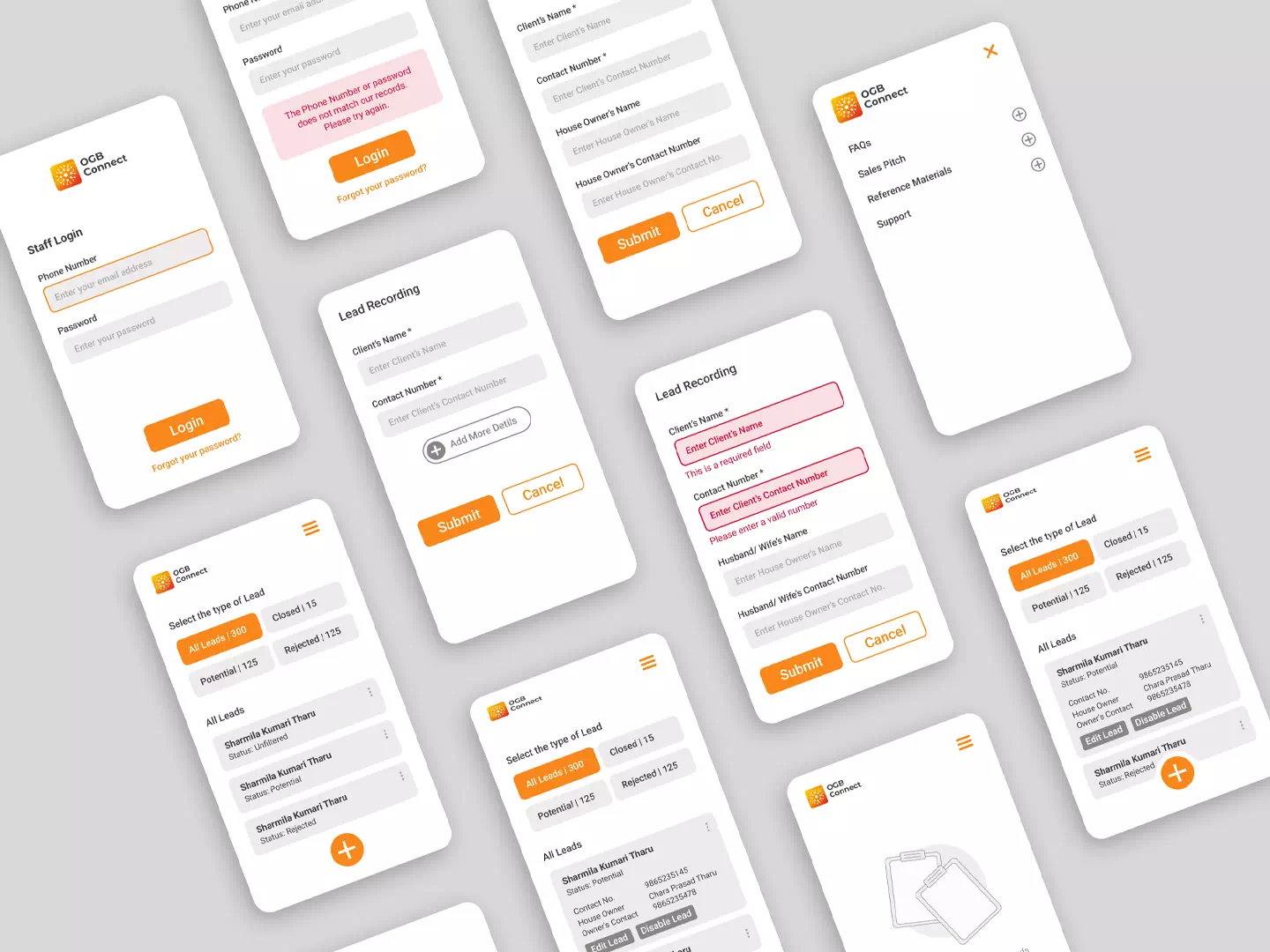
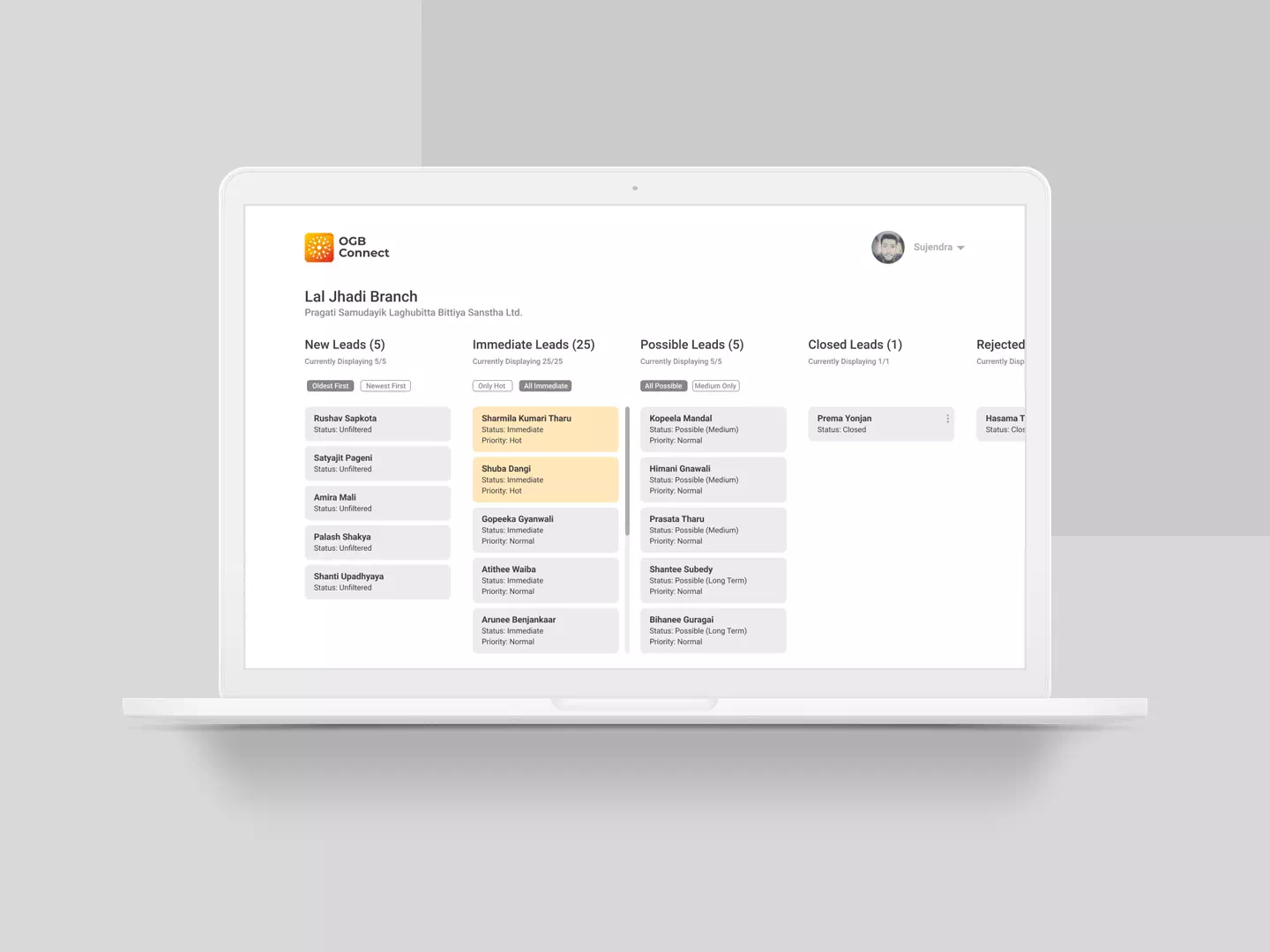
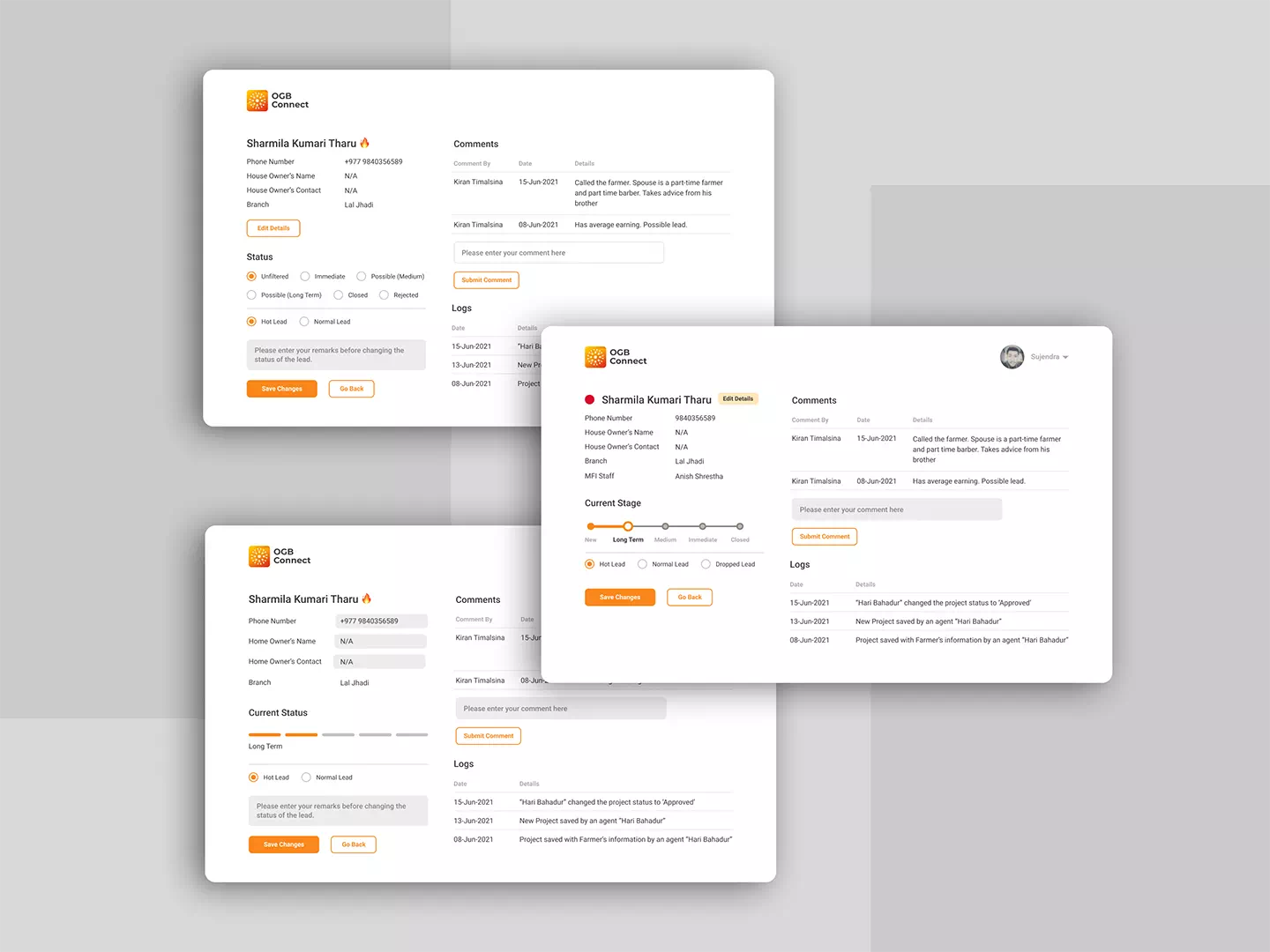
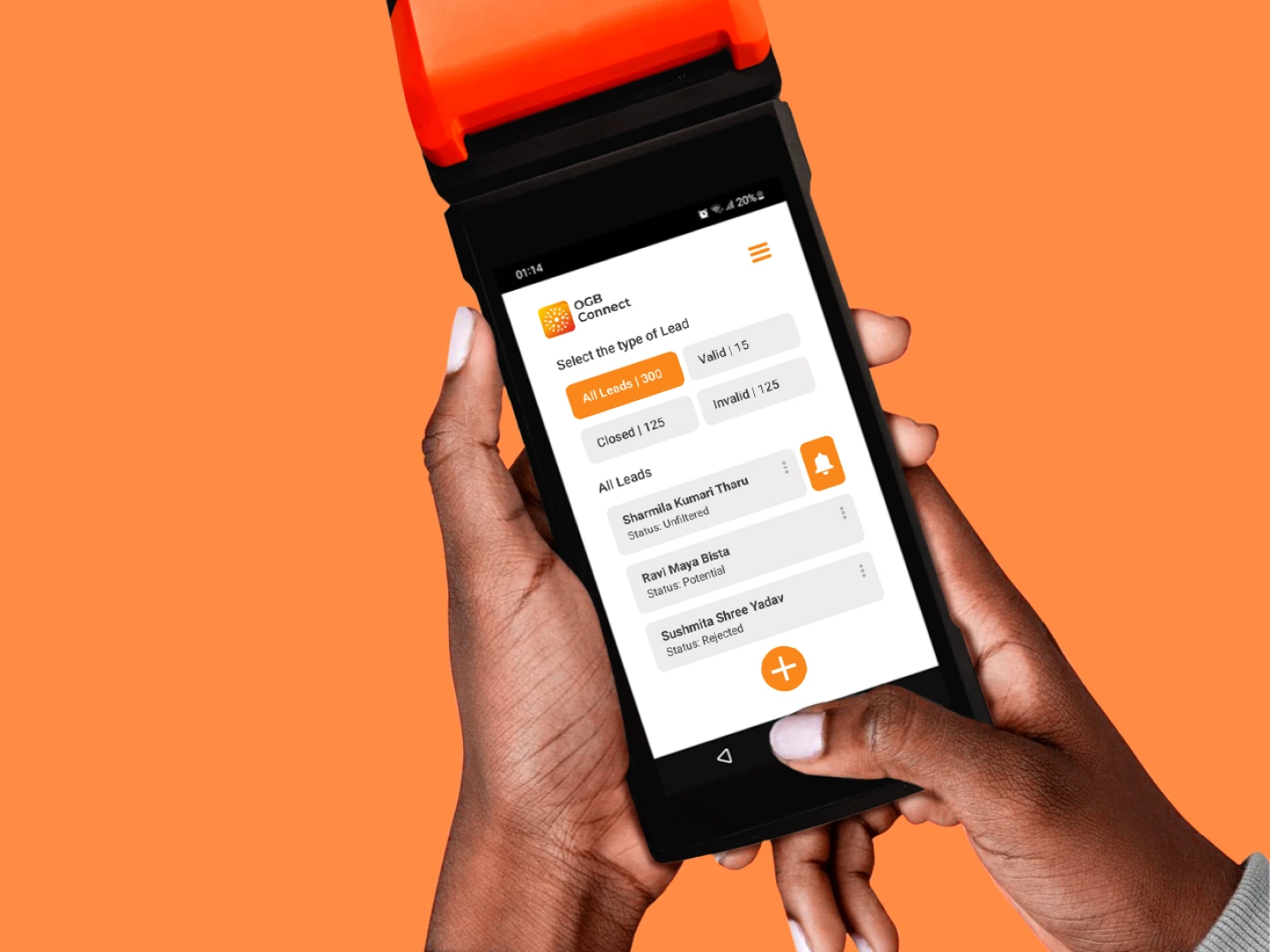
The extra farmer information moved into a cloud-based lead-management tool for the internal team, where they qualify and enrich leads. Field users see four simple states (Unfiltered, Potential, Closed, Rejected), while the internal team works with a deeper sales model built with them, such as Hot, Normal and Dropped. It also became a shared record of what the team knew about each customer.

A pitch without more training

Staff needed accurate answers, not another training course.

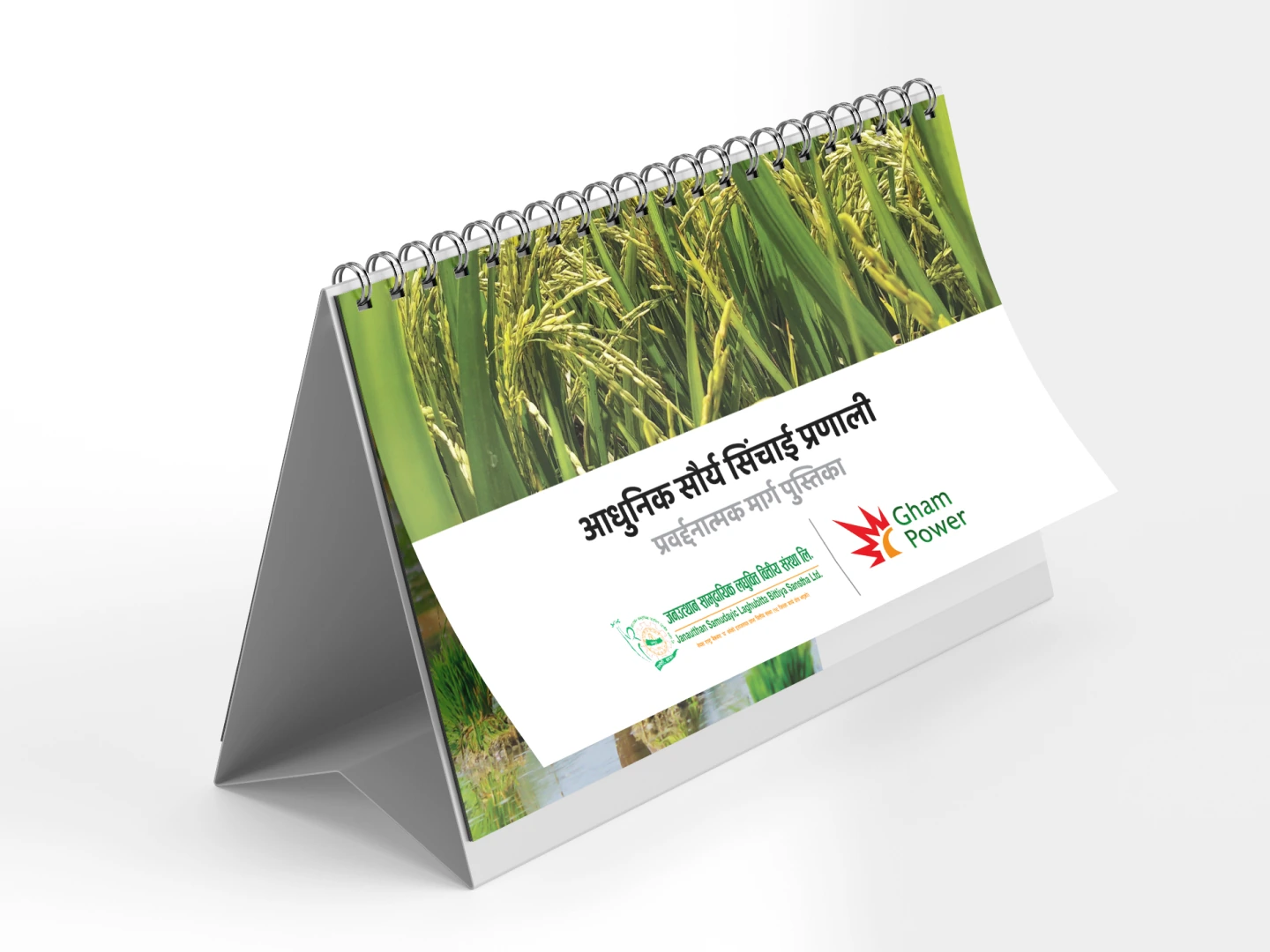
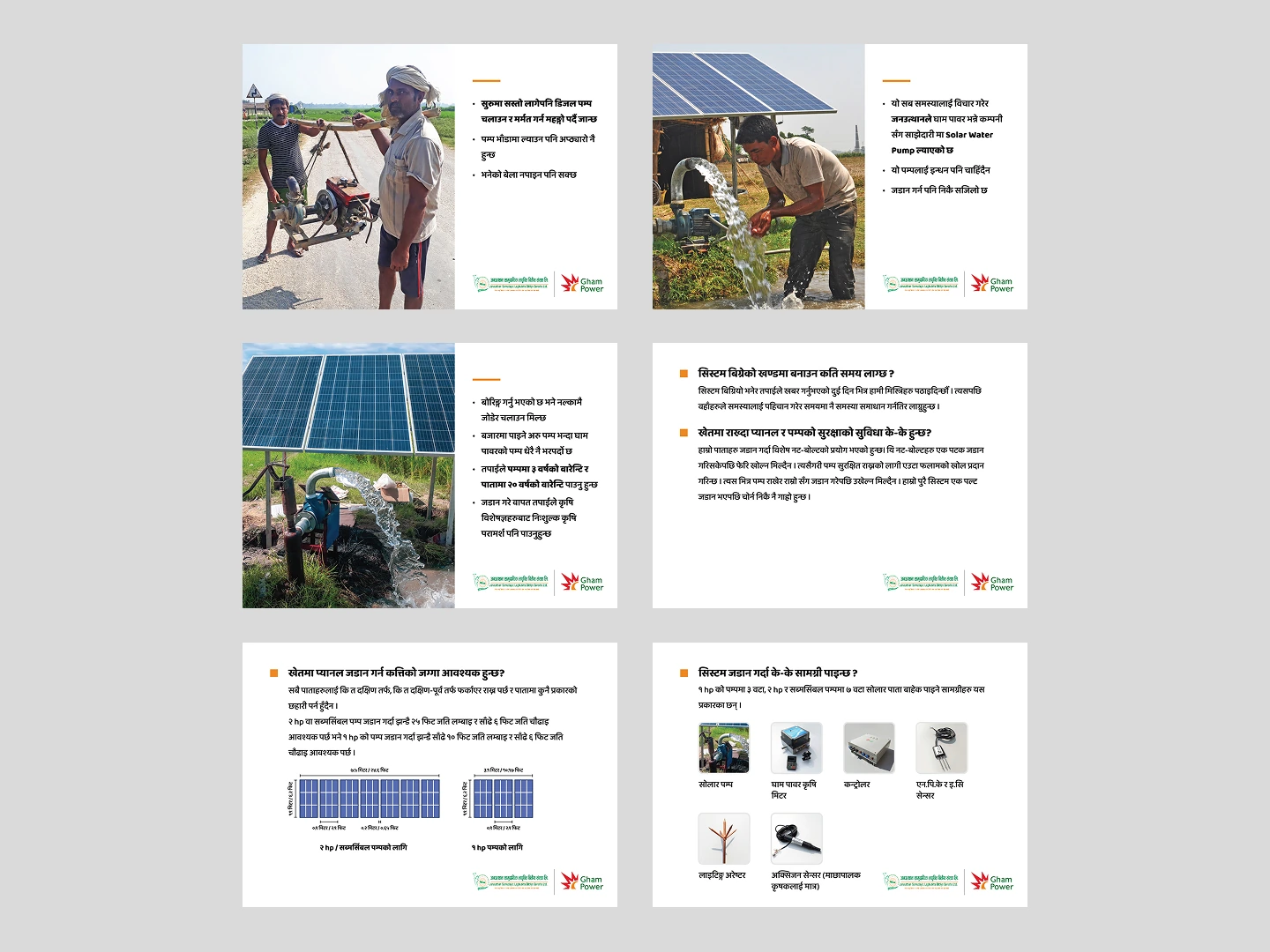
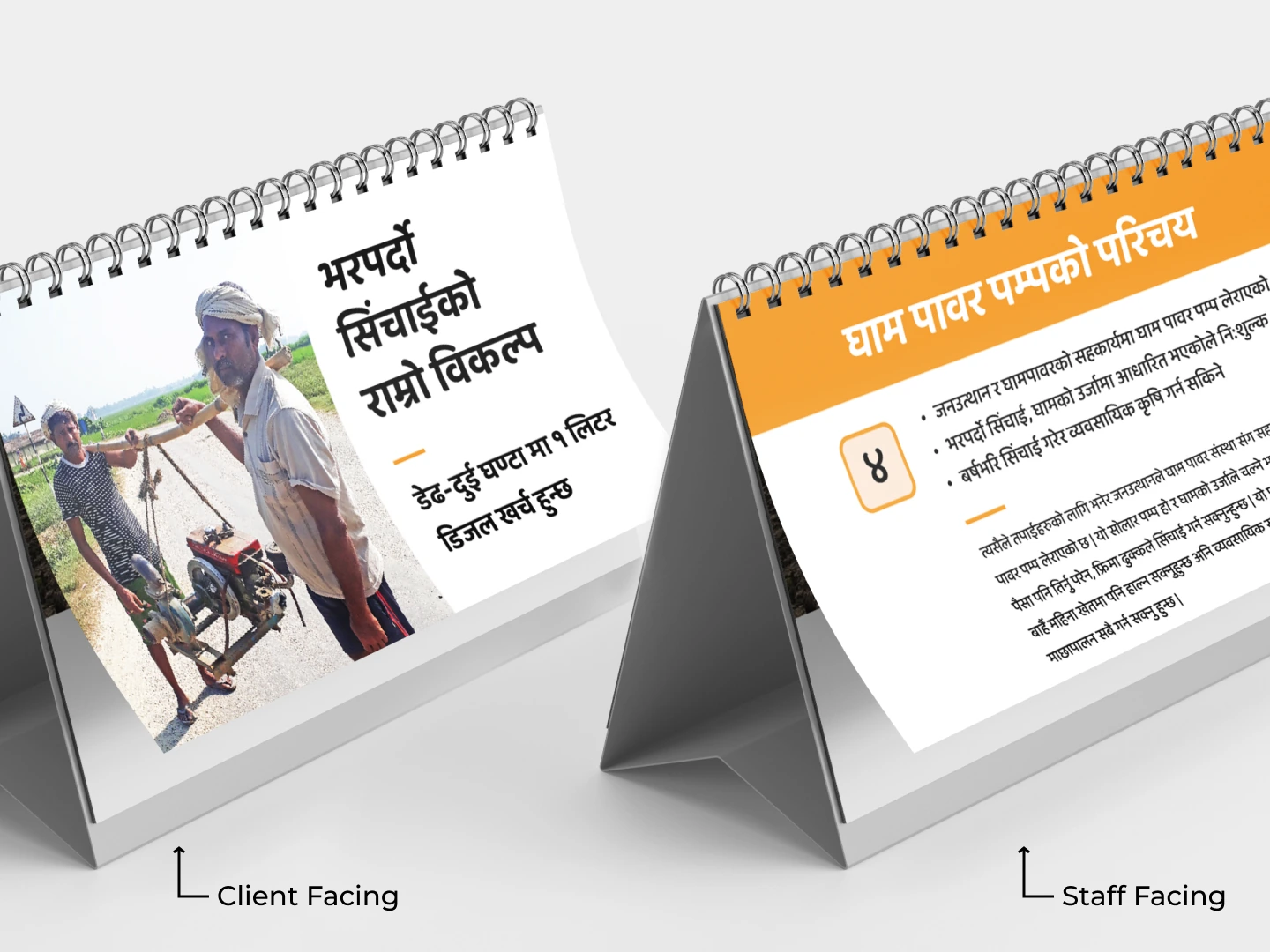
Index cards held too much information to be usable, and training would have added to already tight schedules. The solution was a compact flipbook that works like a mini slide deck: farmer-facing pages on the front, speaker notes, specifications and FAQs on the back. The aim wasn’t to make staff product experts, only to support a useful, accurate conversation.

Built for patchy signals

The tool had to work where the network didn’t.

Many visited areas had limited coverage, so leads are saved offline and synced when a connection returns. Budget meant Android first, as the most common platform among staff. And because staff had busy schedules, research and testing were planned around their regular work.

Tested in the real world

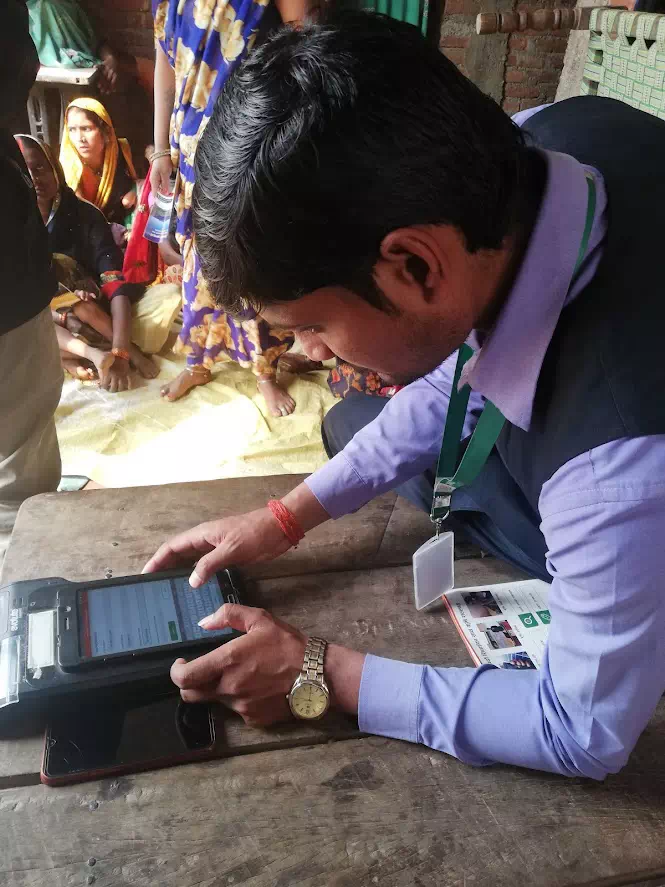
A staff member using the app during testing

The app returned to the people I had studied.

Once the MVP of the app and the pitch deck was ready, it was shipped to the real world. The MFI staff used them in their daily work, and their feedback was instrumental. The loading spinner was the result of one such piece of feedback. While there were kinks that needed ironing out, the feedback was one of immense gratitude. They felt that we had made their work easier. And the results spoke for themselves.

Results that exceeded expectations

20 seconds, 50 leads

The workflow itself got smaller, and reported leads rose.

Lead entry dropped from 6+ minutes to about 20 seconds. (The old timing used dummy data; the new one was measured in the field.) In the three MVP branches, reported leads rose from about 13 to 50 per branch within three months, with no extra incentive or sales training. The process was then launched across the network as the standard, and staff described it as making their work easier.

On attribution: the sales guide and the wider rollout launched alongside the redesign, so I credit the design directly for the reduced effort and the changed workflow, not the whole increase in leads.

Fewer features, better fit

The best improvement was sometimes deciding an interaction didn’t need to exist.

The original app had been carefully planned and even included voice input. Field research taught me that more features don’t make a product more usable, and that problem definition isn’t settled before design begins. It’s part of the work.